PeakTrace RP customers can now basecall traces in a web browser using the units already on their account. Sign in to PeakTrace Online Pro with your PeakTrace RP License Key, upload up to 96 traces at a time, and download the results as a single .zip file. There is no software to install, and it works in any modern browser on Windows, macOS or Linux.
It is the same PeakTrace basecaller, with the same basecalling and trimming settings and the same units, as Auto PeakTrace RP, so you can use whichever suits the job: Auto PeakTrace RP for automated runs on your instrument computer, and PeakTrace Online Pro when you are away from it or want to re-process a few plates with different settings.
What you can do
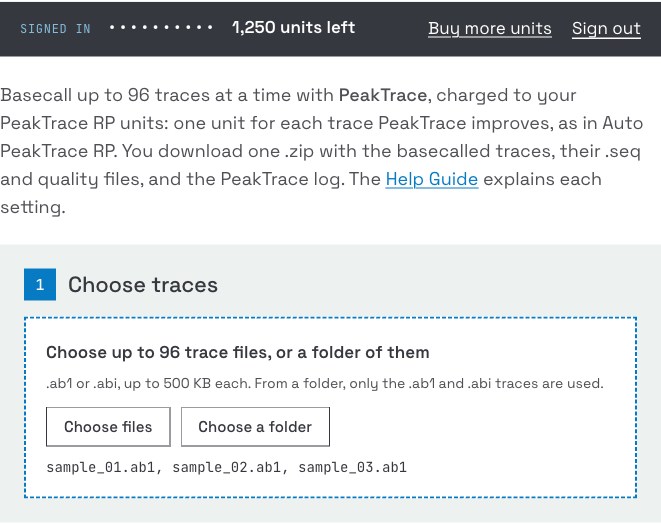
- Basecall up to 96 traces at a time. Choose .ab1 or .abi files, or choose a whole folder: only the trace files in it are used, so sample sheets and other files are skipped.
- Use the PeakTrace settings you know. The basecaller, trimming and advanced options are all there, each explained in the PeakTrace Online Pro Help Guide. Your settings are remembered in your browser for next time.
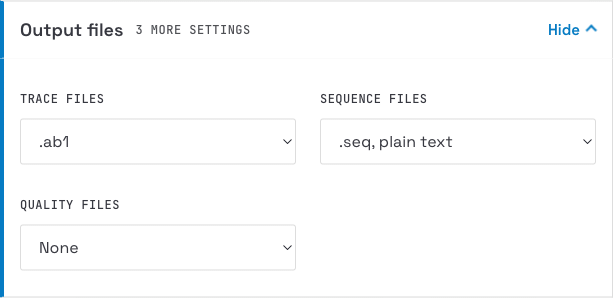
- Choose your output files. As well as the basecalled .ab1 and its .seq file, you can ask for .scf files, no peak resolution (_np.ab1) or original KB (_kb.ab1) traces, FASTA and .qual sequence files, and .phd.1 or .poly quality files.
- Download one .zip. It holds every file PeakTrace wrote for your traces plus a peaktrace.log with one line per trace, in the same format as Auto PeakTrace RP.
How to use it
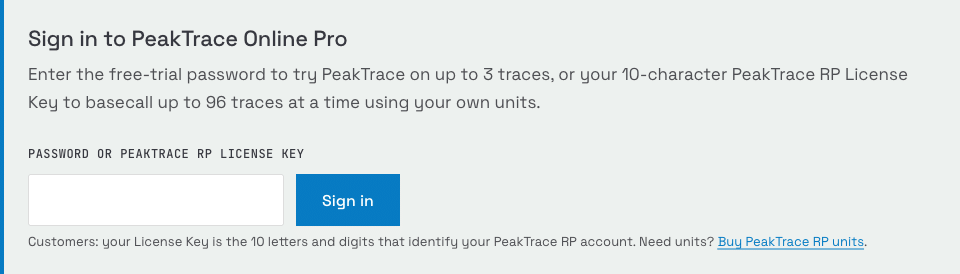
- Go to PeakTrace Online Pro and enter your 10-character PeakTrace RP License Key in the sign-in box. Your remaining units are shown at the top of the page.
- Choose your traces or a folder, check the settings, and select Basecall with my units.
- A progress bar shows the batch being processed. When it finishes, select Download .zip. A full batch of 96 traces usually takes about a minute, most of it uploading.
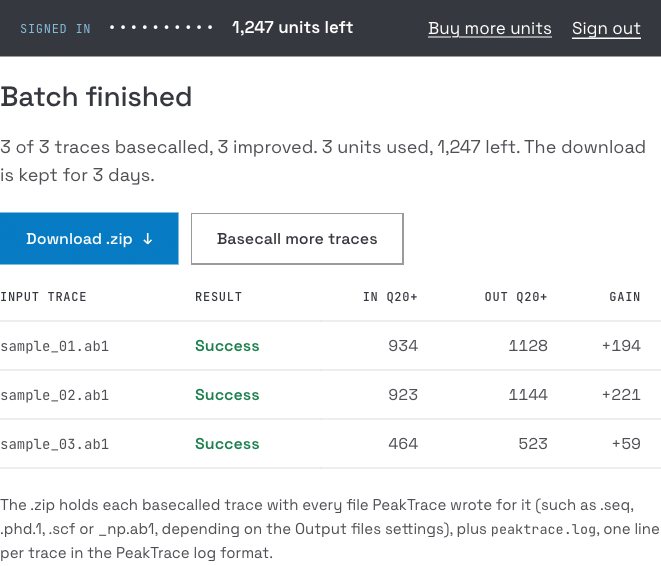
Your download is available for 3 days.
What it costs
PeakTrace Online Pro uses the units on your PeakTrace RP account, exactly as Auto PeakTrace RP does: one unit for each trace PeakTrace improves. Traces PeakTrace cannot improve, such as failed reactions, are not charged. As in Auto PeakTrace RP, if you raise the minimum basecall improvement setting above -9, every processed trace uses a unit.
You can buy more units at any time. If your account runs out part-way through a batch, the traces already processed are delivered in the .zip, the rest are listed in the log as not processed, and you are taken to the purchase page. Units are usually added to your account within 12 hours.
Your traces
We do not keep traces you basecall while signed in. They are deleted as soon as they have been processed, and your .zip is deleted after 3 days.
Keep your License Key private
Your License Key is all that is needed to use the units on your account, so treat it like a password. After three incorrect attempts, sign-in is paused for 10 minutes. If you have lost your License Key, or think someone else is using it, please email support@nucleics.com.
Not a PeakTrace RP customer yet?
You can register for the free trial of PeakTrace Online Pro to test PeakTrace on your own traces, or buy PeakTrace RP units to get started.