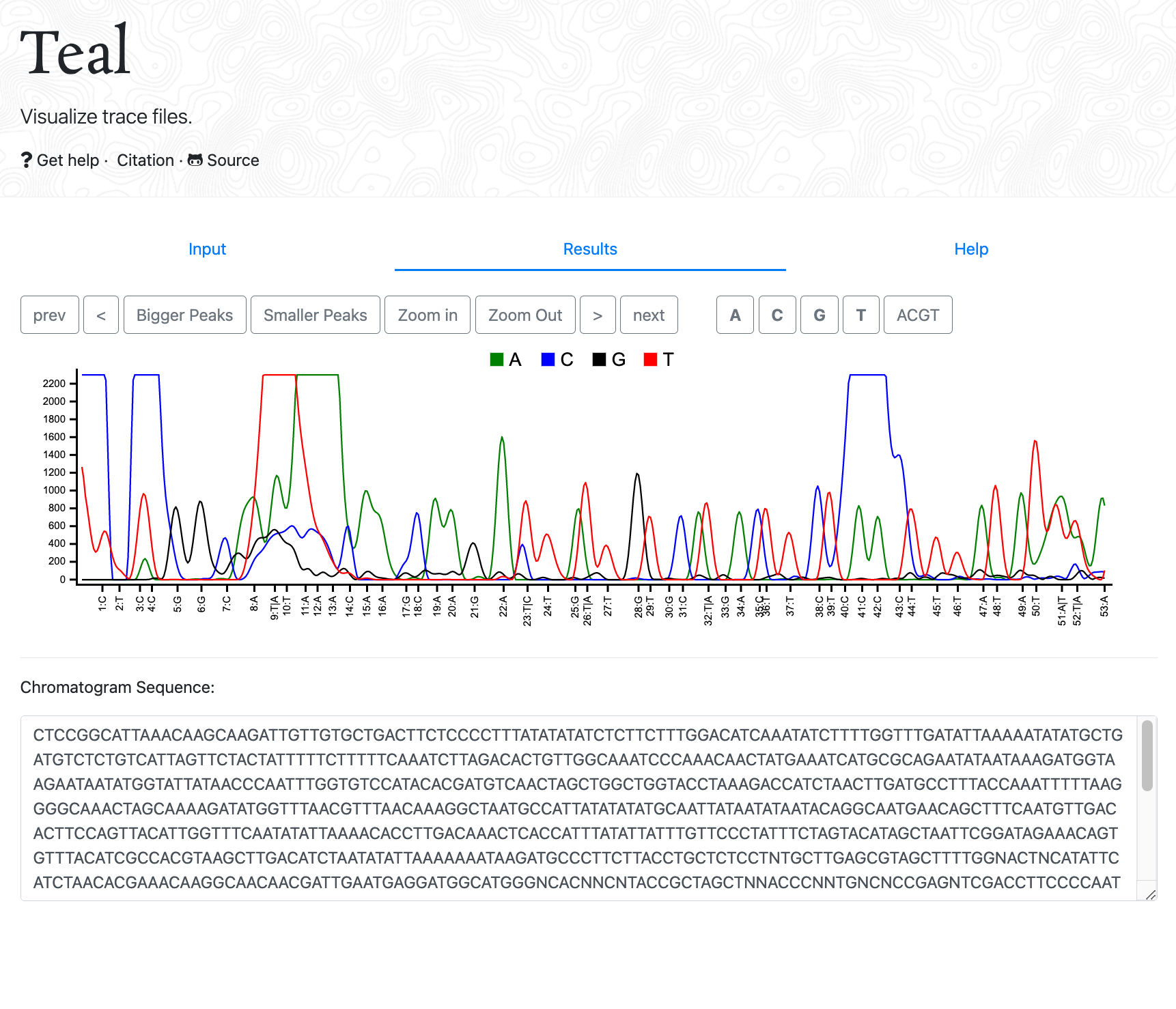
Developer: GEAR Genomics (EMBL)
Supported platforms: Web browser (Windows, macOS, Linux, ChromeOS)
Access: https://www.gear-genomics.com/teal/ (source code: GitHub)
Features
View Quality scores
Yes. Per-base quality estimates from the Tracy backend are accessible via hover tooltips in the viewer.
View raw data
No raw-channel toggle in the basic web UI (the Tracy backend handles raw signal arrays internally and returns JSON for display; local raw JSON/TSV export is available via the Tracy CLI).
Assembly
No within Teal itself, though companion GEAR Genomics apps (Sage, Indigo, and Pearl) handle reference alignment, heterozygous indel deconvolution, and multi-trace assembly.
Input file formats
.ab1, .abi, .ab!, .ab, and .scf
Output file formats
Plain sequence text via one-click Copy view range and Copy full buttons (Tracy CLI supports FASTA, FASTQ, JSON, and TSV export).
Trimming
Manual range selection and zoom (no automated quality clipping in the web viewer).
Integrated Blast
No.
Open multiple windows
Yes, by opening multiple browser tabs.
Edit bases
Limited to editing copied basecall text in the sequence box.
ABI limits (regions outside of clear range region are displayed in gray)
No.
Other functions
- Channel highlighting toggles (A, C, G, T, ACGT) and peak amplitude scaling
- Interactive zooming and selection-to-zoom without installing desktop software
- Built-in sample trace for quick testing
Cost
Free and open source.
Comments
Teal is a fast, zero-install option when you simply want to inspect an .ab1 or .scf chromatogram in any modern browser and copy out the sequence. Because it connects to EMBL’s open-source Tracy backend, it works identically on Windows, macOS, Linux, and Chromebooks.
Return to the Trace Viewers overview or check trace quality online with QualTrace III Online.