• Skip to main content
  • Skip to primary sidebar

Nucleics

  • PeakTrace
    • About PeakTrace
    • PeakTrace Online
    • PeakTrace Online Pro
    • Online Pro for RP customers
    • PeakTrace 6
    • PeakTrace:Box
    • PeakTrace RP
    • PeakTrace for Chromas
    • Buy PeakTrace
    • Why use PeakTrace?
    • Validation of PeakTrace
    • PeakTrace FAQ
    • PeakTrace In Depth
  • DNA Sequencing Products
    • PeakTrace Basecaller
    • PeakTrace:Box
    • PeakTrace RP
    • PeakTrace for Chromas
    • QualTrace
    • LongTrace
    • CounterTrace
    • dLUTE SEQ
    • UniSeq
    • ASIN
  • Support & Services
    • PeakTrace Online Pro Registration
    • QualTrace III Online
    • DNA Sequencing Troubleshooting Guide
    • PeakTrace RP Downloads
    • PeakTrace:Box Downloads
    • Trace Viewers
    • User Manuals
    • Help Guides
      • How to Install Auto PeakTrace 6
      • How to Upgrade to Auto PeakTrace 6
      • How to Update the PeakTrace License on Linux
      • How to Generate a cmDust File
      • Online Activation of Auto PeakTrace 6
      • Auto PeakTrace 6 Online Activation Guide
      • DNA Sequencing Protocols
        • DNA Sequencing Protocol Tips
        • Exonuclease I – Shrimp Alkaline Phosphatase Clean Up of PCR Products
        • Tris EDTA DNA Sequencing Resuspension Buffer
        • DNA Sequencing Reaction Clean-up using Phenol & Butanol
    • DNA Sequencing Service Reviews
    • Software Downloads
    • MSDS
    • Services
      • Genomics Sequencing
      • Bioinformatics
  • Forum
    • Register
    • Login
    • PeakTrace Basecaller Forum
    • PeakTrace:Box Forum
    • Auto PeakTrace RP Forum
    • QualTrace Forum
    • DNA Sequencing Forum
    • DNA Sequencing Software
    • PCR Forum
    • DNA Isolation Forum
    • LongTrace Forum
    • dLUTE SEQ Forum
  • About
    • Contact
    • News
    • Jobs
    • Nucleics Privacy Policy
Buy PeakTrace

Why Keep PeakTrace Up-To-Date?

April 27, 2016 By Daniel

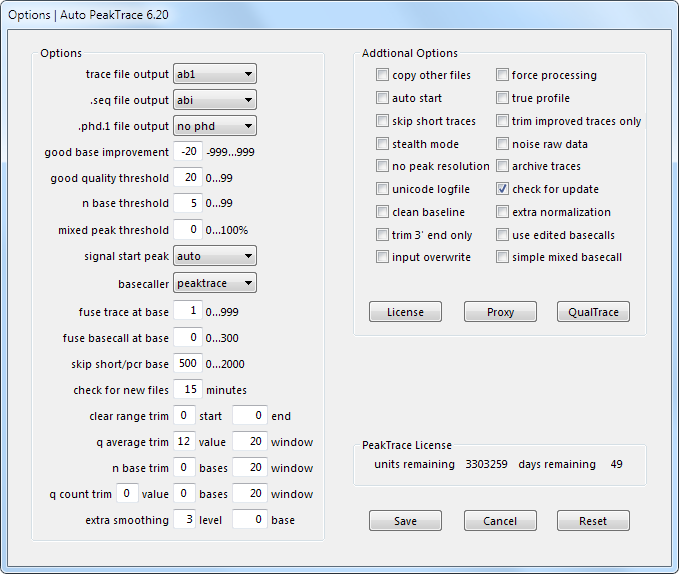
Auto PeakTrace Options MenuOne thing we have noticed is many people are running old versions of PeakTrace. While it is in general a good idea to use software you are familiar with, with PeakTrace it is best to keep up to date as much as possible. There are a number of very good reasons to use the latest version

  1. PeakTrace will stop working correctly approximately 18 months after it is first released. It will still run, but the quality of the results will be very poor. Anyone running a version of PeakTrace from before 5.70 should upgrade today.
  2. PeakTrace is actively being developed and improved. Unlike most Sanger sequencing software companies, Nucleics is continuing to invest significant resources in improving PeakTrace. By running the latest version you get access to all these improvements. Some of the great new features of PeakTrace 6 are described in the PeakTrace 6 In Depth articles.
  3. Bugs are only fixed in the latest version. If you run into an issue or bug with an older version of PeakTrace then there is a good chance it has been fixed in a later release.  If the issue is new then we will be able to fix in the next release. If the bug is specific to an older release then it will not be fixed.
  4. It is free. If you have a current license you can upgrade at anytime at no cost.

Filed Under: news, PeakTrace, PeakTrace RP

Primary Sidebar

DNA Sequencing Help

We have added a guide on troubleshooting automated DNA sequencing problems.

DNA Sequencing Service Facilities Reviews

Please see our review of 325 DNA sequencing core facilities and commercial services for more information on selecting the right sequencing service for your needs.

QualTrace III Online

Try the free online version of the QualTrace DNA sequencing QC software and see how real time quality control tracking can improve your read lengths and lower sequencing failure rates.

Contact Details

email. information@nucleics.com
phone. +61 489 152 658
  • home
  • peaktrace
  • software & reagents
  • forum
  • tools
  • services
  • support
  • about

Nucleics

Sanger Sequencing Software

Already have RP units? Run batches in your browser with PeakTrace Online Pro.

©Nucleics 1999 - 2026